
Skip to content

Cart

Your cart is empty

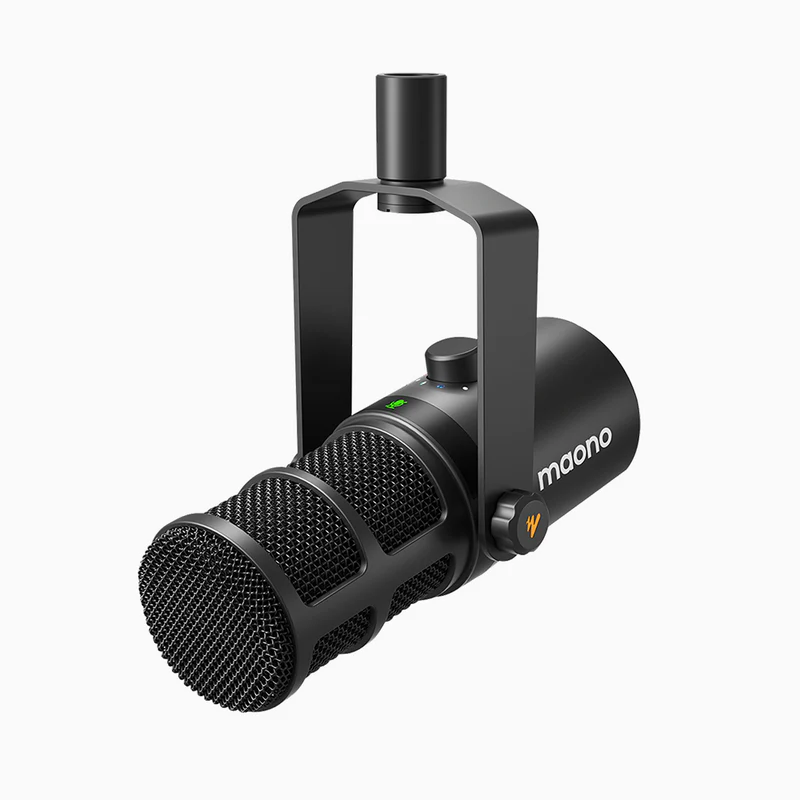
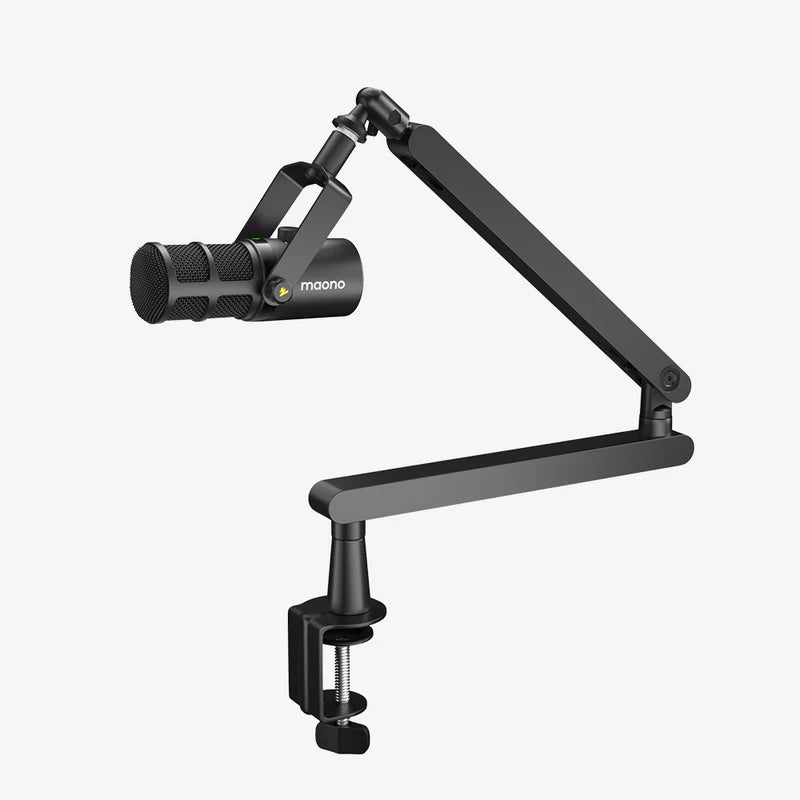
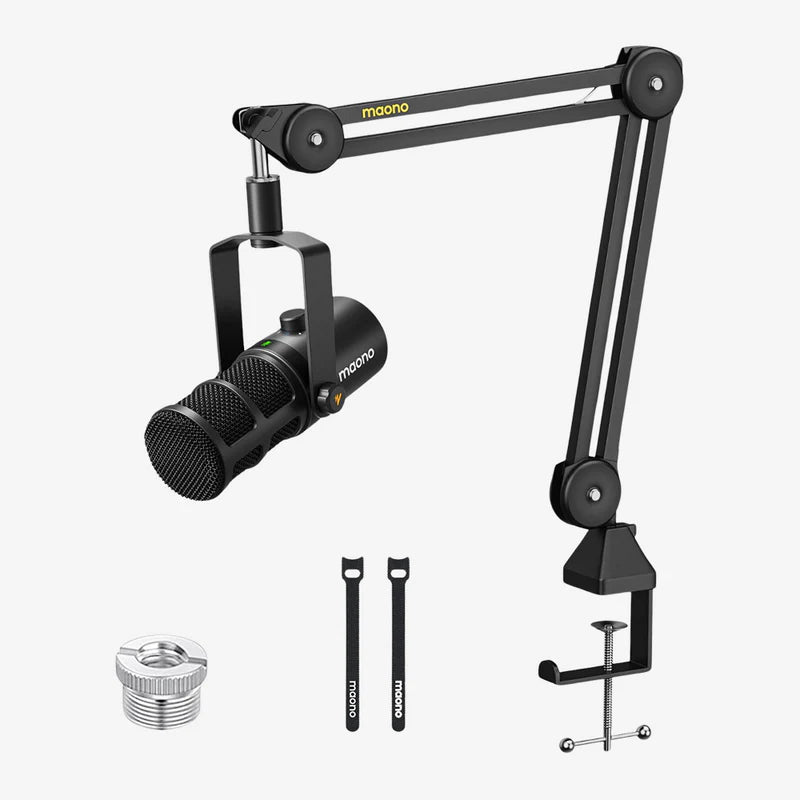
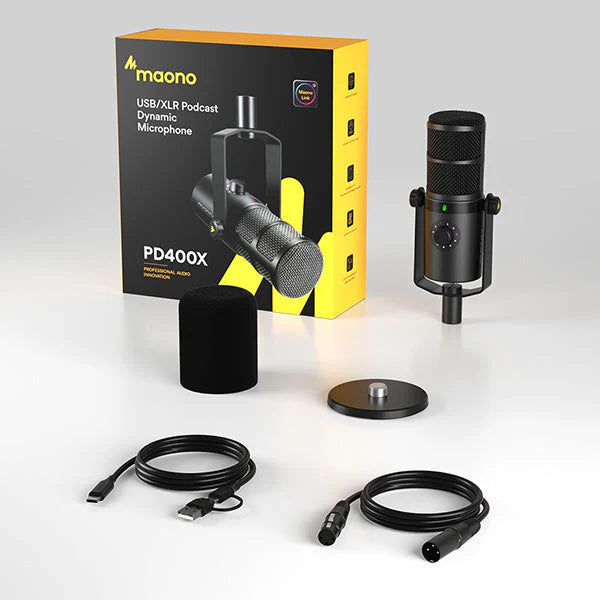
MAONO PD400X USB/XLR Dual Mode Dynamic Microphone for Podcasting

(0.0)
Sale price$999.00
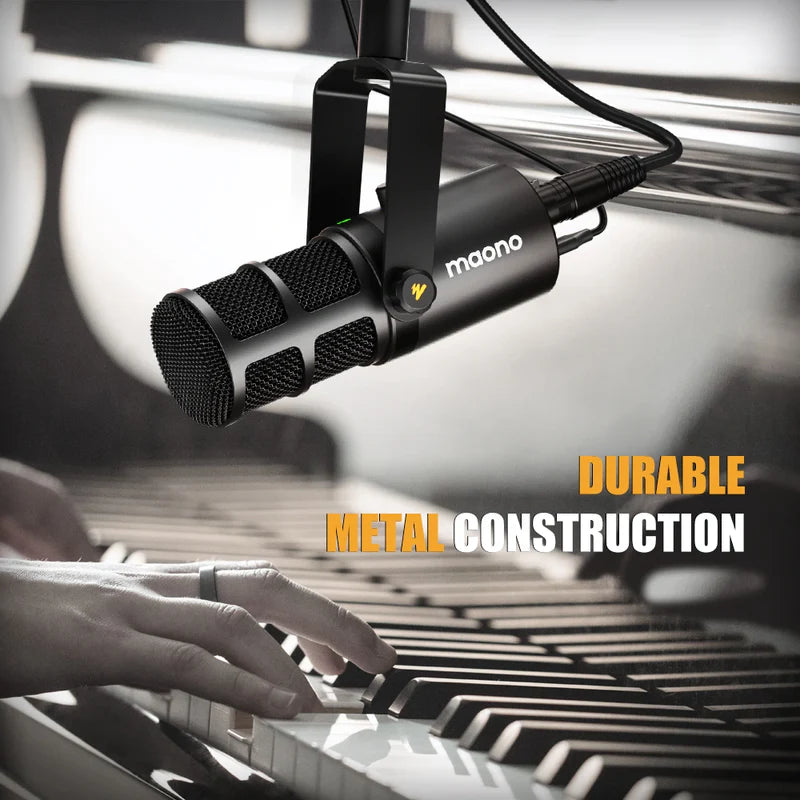
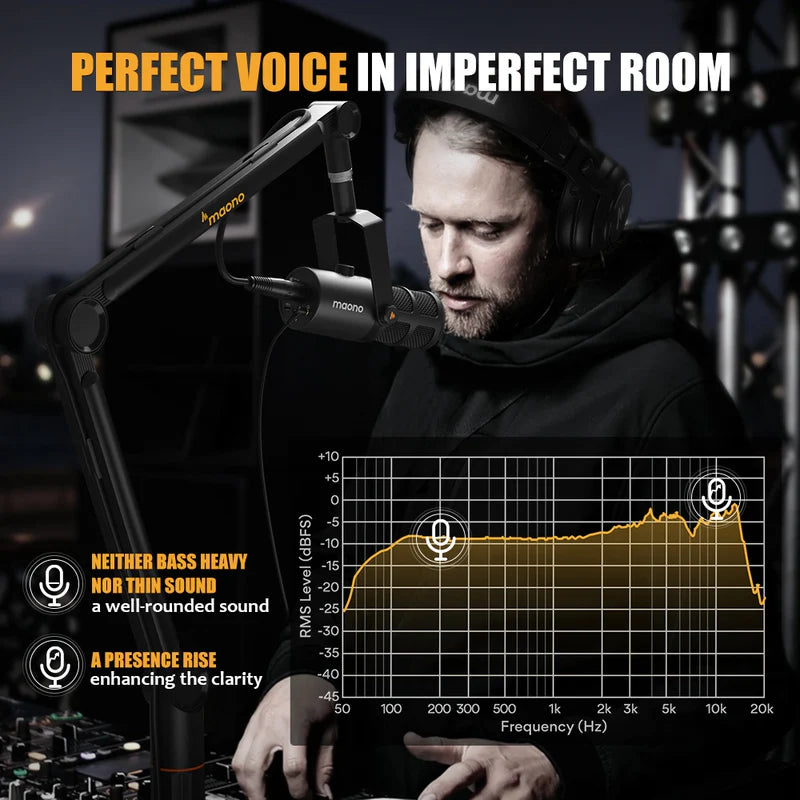
  • Podcasting Studio Sound Quality: No studio? No problem. The PD400X brings professional-grade clarity to home setups, effectively canceling room noise for a pure, studio-ready sound.
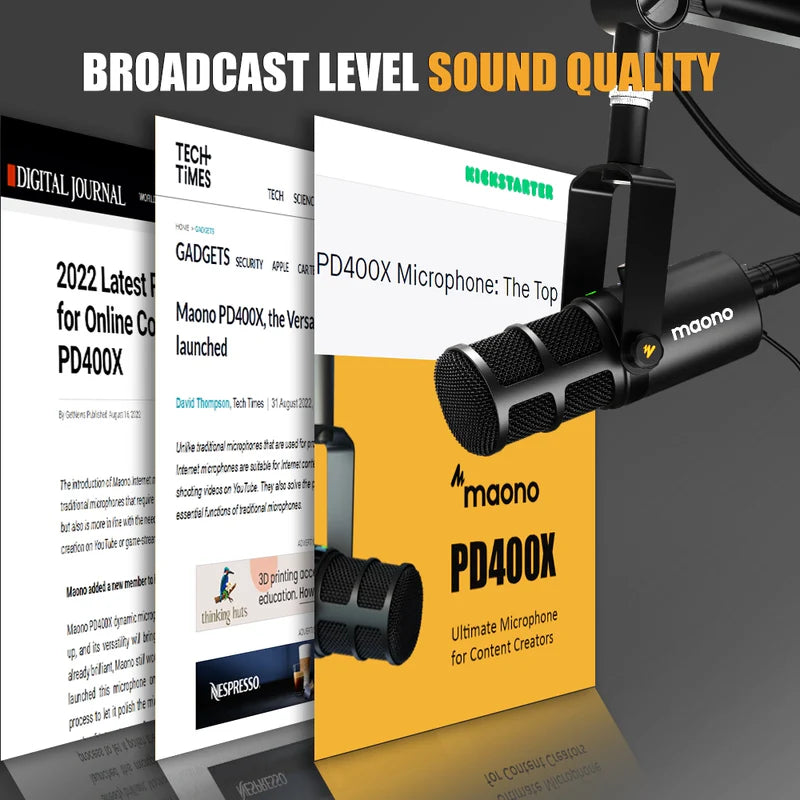
  • Expert-Verified Quality: Successfully funded on Kickstarter and featured in Digital Journal. Trusted by thousands of creators for its reliable, broadcast-grade performance.
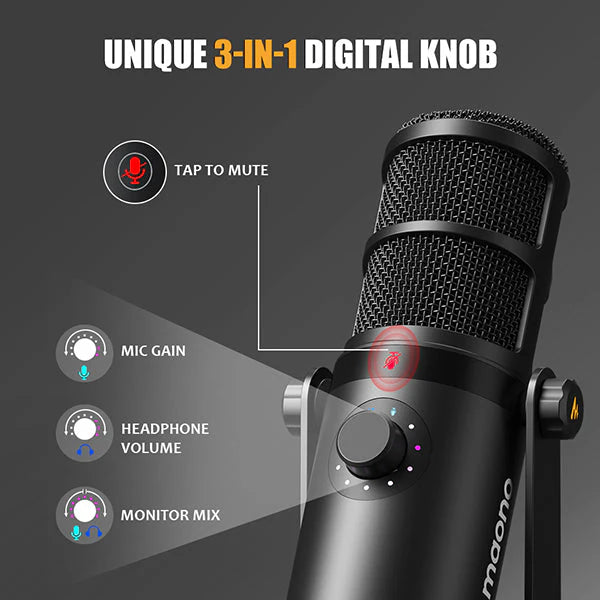
  • 3-IN-1 Multi-Function Compound Knob. One Click Mute Button. Cardioid Pattern with Excellent Off-axis Noise Suppression Performance.
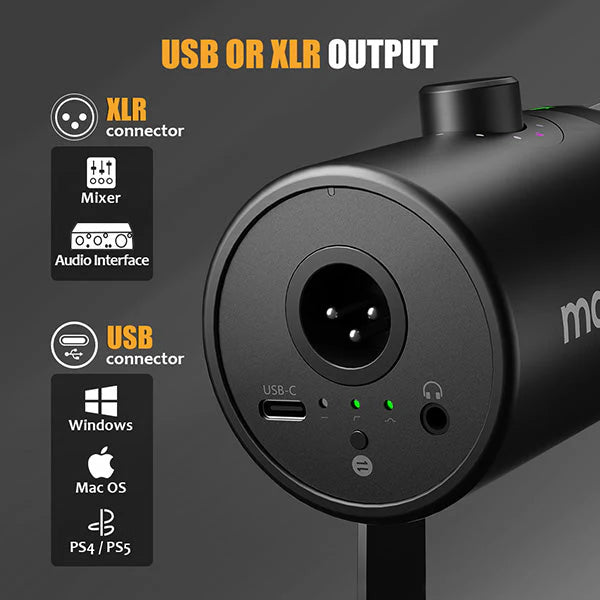
  • USB or XLR Output. Widely Compatible with Smartphones /PC / PS4 / PS5 / Audio Interface.
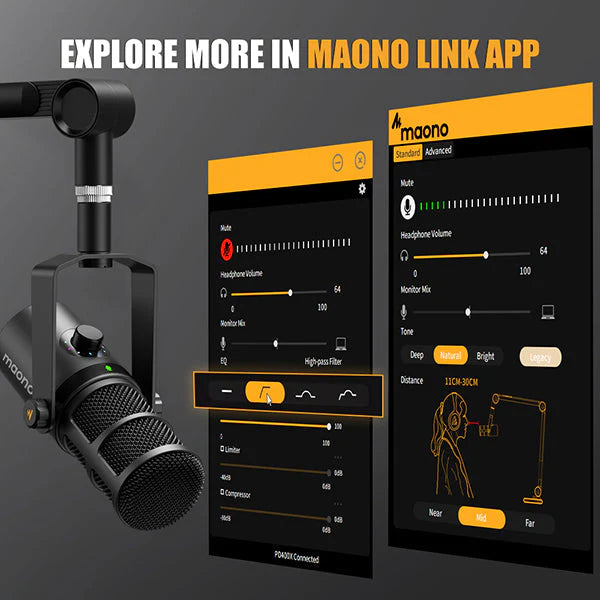
  • Unlock More Functions Like EQ Limiter / Compressor Adjustment in Maono Link. Take total control with our exclusive, free companion app.

Pickup currently unavailable at Mastex Corporation

MAONO PD400X USB/XLR Dual Mode Dynamic Microphone for Podcasting

MAONO PD400X USB/XLR Dual Mode Dynamic Microphone for Podcasting

Mastex Corporation

Pickup currently unavailable

Unit 12, 163-179 Forster Road
Mount Waverley VIC 3149
Australia

PD100W Hybrid

World's First Wireless & USB Dual-Mode Dynamic Microphone

Made for Gamers
Free Your Battlestations

The wireless revolution is here
-your entire setup is now 100% wireless.

MaonoPD100WWireless_USBmicrophone_1.webp__PID:818480e1-b71b-4b2e-b080-e0f180b266a6
imgi_133_Maono_PD100W_wireless_microphone_4.jpeg__PID:c08a2f71-21d9-476a-9e3a-31380ad56712

Cut the Noise
Free Your Stream as a Pro

Cut the cable, cut the noise
-your virtual sound treatment with 3-level onboard noise reduction

Perfect for Podcasters
Crisp and Clear Sound

Broadcast-grade clarity, with zero loss--wired and wireless.

imgi_134_Maono_PD100W_wireless_microphone_5.jpeg__PID:cfba52a0-4bf9-4e21-a278-41f5fed578d8
imgi_135_Maono_PD100W_wireless_microphone_6.jpeg__PID:cd54abcf-e0c1-41ca-b8ad-1a48a0d8dfe9

Meeting on the Go
From Phone to Tablet/PC

Connect directly to your phone or tablet
so you can start meeting without lImIts

imgi_47_PD100W_wireless_USB_microphone_19.jpg__PID:6b0e8503-288d-4a1b-b548-6929a7e70d3eimgi_48_PD100W_wireless_USB_microphone_20.jpg__PID:0e850328-8dea-4b35-8869-29a7e70d3e83imgi_50_PD100W_wireless_USB_microphone_22.jpg__PID:03288dea-1b35-4869-a9a7-e70d3e8348c7imgi_49_PD100W_wireless_USB_microphone_21.jpg__PID:8503288d-ea1b-4548-a929-a7e70d3e8348imgi_55_PD100W_wireless_USB_microphone_7.jpg__PID:b502719d-4f0f-459f-88a1-a9f78761dfe6imgi_52_PD100W_wireless_USB_microphone_4.jpg__PID:f6d247b5-0271-4d4f-8f15-9fc8a1a9f787imgi_51_PD100W_wireless_USB_microphone_3.jpg__PID:d5f6d247-b502-419d-8f0f-159fc8a1a9f7imgi_54_PD100W_wireless_USB_microphone_6.jpg__PID:47b50271-9d4f-4f15-9fc8-a1a9f78761dfimgi_53_PD100W_wireless_USB_microphone_5.jpg__PID:d247b502-719d-4f0f-959f-c8a1a9f78761imgi_56_PD100W_wireless_USB_microphone_8.jpg__PID:f4d64991-9dab-42c4-a92c-7434f67aeaf6imgi_57_PD100W_wireless_USB_microphone_9.jpg__PID:d649919d-ab52-44a9-ac74-34f67aeaf6ecimgi_58_PD100W_wireless_USB_microphone_10.jpg__PID:49919dab-52c4-492c-b434-f67aeaf6ece1imgi_59_PD100W_wireless_USB_microphone_11.jpg__PID:919dab52-c4a9-4c74-b4f6-7aeaf6ece1fdimgi_60_PD100W_wireless_USB_microphone_12.jpg__PID:9dab52c4-a92c-4434-b67a-eaf6ece1fd18imgi_61_PD100W_wireless_USB_microphone_13.jpg__PID:ab52c4a9-2c74-44f6-baea-f6ece1fd18adimgi_62_Maono_PD100W_wireless_USB_microphone_14.jpg__PID:52c4a92c-7434-467a-aaf6-ece1fd18ad96imgi_63_PD100W_wireless_USB_microphone_15.jpg__PID:c4a92c74-34f6-4aea-b6ec-e1fd18ad96b7imgi_65_Maono_PD100W_wireless_USB_microphone_17.jpg__PID:2c7434f6-7aea-46ec-a1fd-18ad96b74cc1imgi_64_PD100W_wireless_USB_microphone_16.jpg__PID:a92c7434-f67a-4af6-ace1-fd18ad96b74cimgi_66_PD100W_wireless_USB_microphone_18.jpg__PID:7434f67a-eaf6-4ce1-bd18-ad96b74cc17a

Dual-Mode Connectivity

imgi_136_Maono_PD100W_wireless_microphone_7.webp__PID:9710d156-a297-4145-b6cc-7e55a599e975

Wireless Connection

imgi_137_Maono_PD100W_wireless_microphone_8.webp__PID:e5da301f-2c98-40f1-b479-c6810e309371

Wireless Aesthetic

imgi_138_Maono_PD100W_wireless_microphone_9.webp__PID:c8050148-994c-41ba-b0a3-ff6fa2a6f62d

All Platforms Compatible

imgi_139_Maono_PD100W_wireless_microphone_10.webp__PID:e6db41f6-6113-40ef-9ed3-b7cc0f69abea

Dual-Device Record

imgi_140_Maono_PD100W_wireless_microphone_11.webp__PID:080e9697-143e-41a0-8eb8-78b27dc9f1e3

Noise Reduction

imgi_141_Maono_PD100W_wireless_microphone_12_b6d19f7a-2f15-446a-b1e9-f6d96d496108.webp__PID:9831edd7-3e33-4583-9171-579c79976033

One Click Noise Down

imgi_142_Maono_PD100W_wireless_microphone_13.webp__PID:edd73e33-e583-4171-979c-799760334e24

Environment Filtering

imgi_143_Maono_PD100W_wireless_microphone_14.webp__PID:746dd5b2-4e36-4fb3-9cf2-f3de838ed19f

Sound Quality

imgi_149_Maono_PD100W_wireless_microphone_19_58935aa6-21a3-46dd-b027-90150bde57e2.webp__PID:d5b24e36-2fb3-4cf2-b3de-838ed19f9f6b

Off-Axis Noise Rejection

imgi_145_Maono_PD100W_wireless_microphone_15.webp__PID:1ba070c8-7cfb-4736-b82e-e90e56ba344f

Maono Link Software

imgi_146_Maono_PD100W_wireless_microphone_16.webp__PID:0de5800a-1b57-4383-8fd5-efecef8a57c5

What's the difference

imgi_147_Maono_PD100W_wireless_microphone_17.webp__PID:800a1b57-a383-4fd5-afec-ef8a57c55381

Controllable RGB

imgi_148_Maono_PD100W_wireless_microphone_18.webp__PID:81d00e3c-e68f-4fe8-91a2-af8b12c866ea

Long Battery Life

imgi_149_Maono_PD100W_wireless_microphone_19_58935aa6-21a3-46dd-b027-90150bde57e2.webp__PID:f660688f-7c4f-49af-b170-5352cb444ef0

Easy to Control

imgi_150_Maono_PD100W_wireless_microphone_20.webp__PID:c5876aa6-81d0-4e3c-a68f-8fe8d1a2af8b

Dual-size Boom Thread

imgi_151_Maono_PD100W_wireless_microphone_21.webp__PID:6aa681d0-0e3c-468f-8fe8-d1a2af8b12c8

WHAT OTHERS THINK OF PD200XS

My initial thought about this microphone feels pretty nice, the shock mount is plastic and the actual mic feels like a metal material, I love the sleek look now, I find to be useful about this mic is that I like this mic is that it has the option to plug in through an xlr cable, I think it’s great quality, especially for the price point.

Katie Münch | 5.94K FOLLOWERS

PD200XS is a microphone that is easy to use because as I mentioned, I’m not somebody who is invested or specialized in microphones, for me, it sounds good straight out of the gate without any processing. It already sounds terrific. I do recommend this microphone to do whatever you want like podcasting or recording.

Gary Jahman | 6.73K FOLLOWERS

SPECIFICATIONS

Microphone TypeDynamic Microphone
Polar PatternCardioid
SensitivityUSB: -4.0dBFS (1 kHz 94 dBSPL, 0.5m)
Max. SPL125dB 0.5m Min Gain & Max Vol THD 10%
Frequency Response50-16000Hz
Adjustable Gain Range0~36dB
Monitoring Sensitivity-8.0dBV (1kHz 94dB VOL&GAIN Max.)
Monitor Headphone Jack3.5mm TRS
Digital OutputUSB C
Output Impedance of The Headphone Jack32Ω
Battery 18650-1500mAh, 3.7V (5.55Wh)
Charging Power SupplyUSB C, 5V⎓1A Max.
Battery Usage TimeApproximately 25 hours with RGB on, 40 hours with RGB off (Based on Maono laboratory tests)
Wireless Working Distance≤50 meters (under line-of-sight conditions, based on Maono laboratory tests)

FAQs

What is the microphone's battery life? When to charge it?

The streaming microphone built-in a 1500 mAh rechargeable battery to offer up to 40 hours of continuous use on a single charge. (The above are the battery life test results from Maono's lab.)

When do I need to charge it?

Charge Status Indicators:
Battery ≤20%: The orange indicator light flashes twice every 15 seconds.
Charging: Orange light stays on around the knob.
Fully charged (power on): Orange light stays on.
Fully charged (power off): Light turns off.

How to use the Custom EQ Function?

1. Open the Maono Link software and find “Equalizer” under the “Scene” tab.
2. Use preset modes (e.g., Original Sound, Podcast, Gaming, Singing) or create a custom preset:Click “New” to manually adjust the 5-band EQ (frequency range: 20Hz-20kHz) to enhance bass, reduce noise, etc.
3. Click “Save” to store your custom preset.

Which operating systems support the desktop Mono Link software?

Windows: Windows 10 (version 1809 or later; Windows 11 (32/64-bit).
macOS: macOS 13.5 or later.

Does the microphone support charging via a power bank? Can it be used while charging in wireless mode?

The microphone supports charging via a power bank.It can be used while charging in both wired and wireless modes (orange light around the knob indicates charging):
Wired mode: Automatically enters “charge-while-use” mode when connected.
Wireless mode: Connect a charging cable to the microphone to enable “charge-while-use” mode.

How to connect to a mobile phone (Android/iOS) via wired mode?

Android Phones:a. Connect the microphone’s USB port to your phone’s Type-C port.b. Open a voice recording app to start recording. For some phones, enable the OTG function in settings.
iPhones: :( please noted that the PD100W doesn't come with the lightning receiver, you can buy it seperately, Click HERE to buy directly.)
a. iPhone 15 and later models: Directly connect the microphone’s USB-C port to the phone’s Type-C port.
b. iPhone 14 and earlier models: Use a Lightning-to-USB adapter to connect the microphone to the phone. Open a voice recording app to start recording.

How to connect wirelessly to a mobile phone (Android/iOS)?

Android Phones:a. Use the Type-C wireless receiver and connect it to your phone’s Type-C port.b. Open a voice recording app on your phone to start recording. For some phones, you may need to enable the OTG function in settings.iPhones:( please noted that the PD100W doesn't come with the lightning receiver, you can buy it seperately, Click HERE to buy directly.
a. Use the Lightning wireless receiver and connect it to your phone’s Lightning port.
b. Open a voice recording app on your iPhone to start recording (compatible with iPhone 14 and earlier models).

You May Also Like